Help & supportSharing an earthquake
Sharing an earthquake
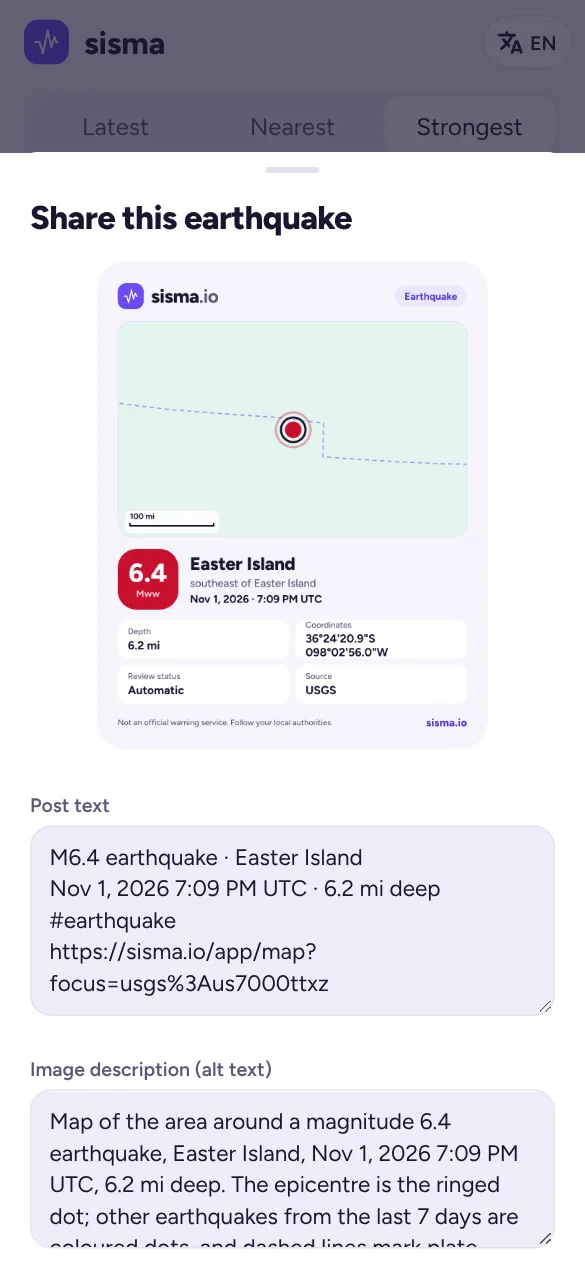
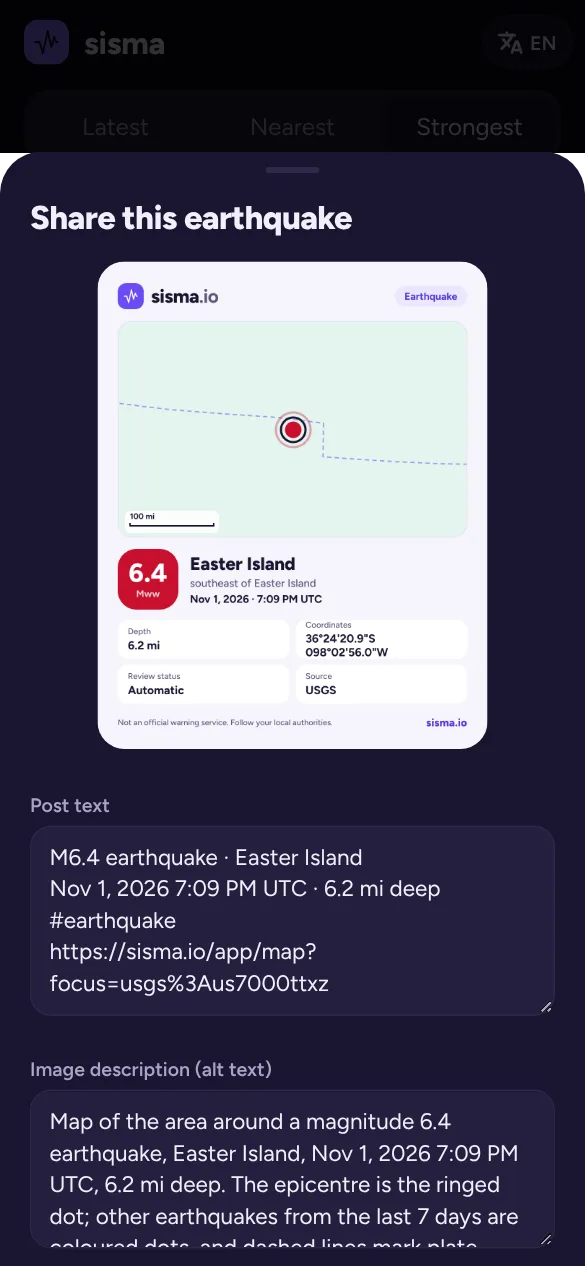
Tap Share on an earthquake to make a share card: a picture with the map and the main details.
- Post text is filled in for you (magnitude, place, time, depth and a hashtag, with the link last), and you can edit it.
- Image description (alt text) describes the picture for people using screen readers. It is filled in for you, and you can edit it.
- Share image opens your phone’s share sheet (in the Android app and in browsers that support it). Where a browser can’t share pictures, or the picture couldn’t be made, Share link shares the post text with its link instead. Save image downloads the picture, and Copy text and Copy alt text copy either field.
X, Facebook and Bluesky often drop the text that comes with a shared picture, and none of them take alt text this way. Share image also copies the text, so you can paste it into the post. Use Copy alt text and paste it into the app’s image description field.